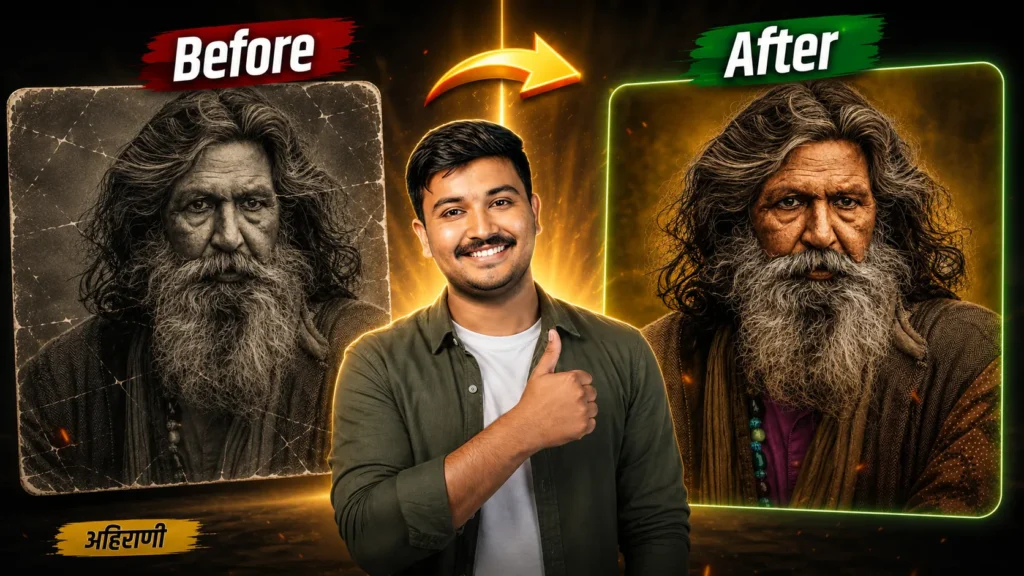
Old Photo Restoration with ChatGPT – आपला खान्देश मा कोणी देवआज्ञ व्हयनं ते एक मोठा प्रोबलेम येस तो म्हणजे दशक्रियाविधी ना फोटो. कारण धल्ला लोकेसना दशक्रीयाविधी ना फोटो बनावा ना करता फोटोच सापडस नई. कारण आपला खान्देश मा धल्ला लोकेसना जास्त फोटो राहतस नई. रायना बि ते बँक पास बुक वर राहस आणी ते ना वर शिक्का मारेल राहस. मंग असा टाईम ले एखादा जूना खराब फोटो नाच दाहव ना फोटो बनावना पडस. पण तो खराब फोटो ले तुम्ही ChatGPT वापरिन 4k Colour Full बनावु शकतस. तर जुना खराब फोटो ले नवा बनावा ते पण सांगसू आणी Old Photo Restoration with ChatGPT Prompt दिसू.
Old Photo Restoration with ChatGPT
In our Khandesh region, when someone passes away, one of the biggest problems families face is finding a photograph for the funeral and the Dashakriya (last rites) ceremony. Many people simply don’t have proper photographs because, in the past, taking photos wasn’t common. Often, the only available photo is the small one printed on an old bank passbook, sometimes even covered with an official stamp.
During such difficult times, families are forced to use an old, damaged, faded, or low-quality photograph to prepare the memorial portrait.
But now, with ChatGPT, you can restore these old damaged photos into beautiful, high-quality 4K full-colour portraits. In this video, I’ll show you how to transform an old damaged photo into a new one, and I’ll also share the best Old Photo Restoration with ChatGPT Prompt you can use.
Old Photo Restoration Process
- तर ChatGPT Open करा,
- तुम्हाना खराब, जूना फोटो अपलोड करा
- Techkhandesh.com वर या
- Old Photo Restoration with ChatGPT या पोस्ट वर या.
- Old Photo Restoration PROMPT Copy करा
- ChatGPT मा या आणी Paste करा.
- जूना फोटो एकदम नवा व्हई जाई.
- शेअर करा आई माहिती तुम्हणा बठ्ठास्ले.
जुना खराब फोटो ले नवा बनावा | Old Photo Restoration with ChatGPT Prompt
Old Photo Restoration with ChatGPT Prompt
Restore and enhance this old photograph into a fresh, natural, high-quality colour portrait while preserving the person's identity with absolute accuracy. Do not change the face structure, facial proportions, eyes, nose, lips, jawline, hairstyle, expression, age, pose, camera angle, framing, clothing, sari, jewellery, or background composition. Keep the exact same person and the exact same pose as in the original image. Remove only the signs of age and image degradation: faded colours, yellow/green colour cast, dust, scratches, stains, grain, blur, paper texture, scan marks, and photographic deterioration. Reconstruct natural, realistic skin tones and restore fine facial details while keeping the original facial features completely unchanged. Improve clarity, sharpness, tonal range, and overall image quality to make it look like a newly taken, professionally printed colour photograph from the same moment. Use soft, natural studio-quality lighting and realistic colours. Keep the expression gentle and natural. Do not beautify, retouch, reshape, slim, smooth excessively, de-age, or alter the person in any way. The final result must look like the exact original photograph, only professionally restored, clean, sharp, fresh, and naturally, colour-corrected.